NOTE; If you have less than 8GB of RAM you will need to increase the amount of RAM on the Broker VM to meet the requirements
Step 1 - Navigate to System>Maintenance in the Broker admin page and select "Check for updates" shown below: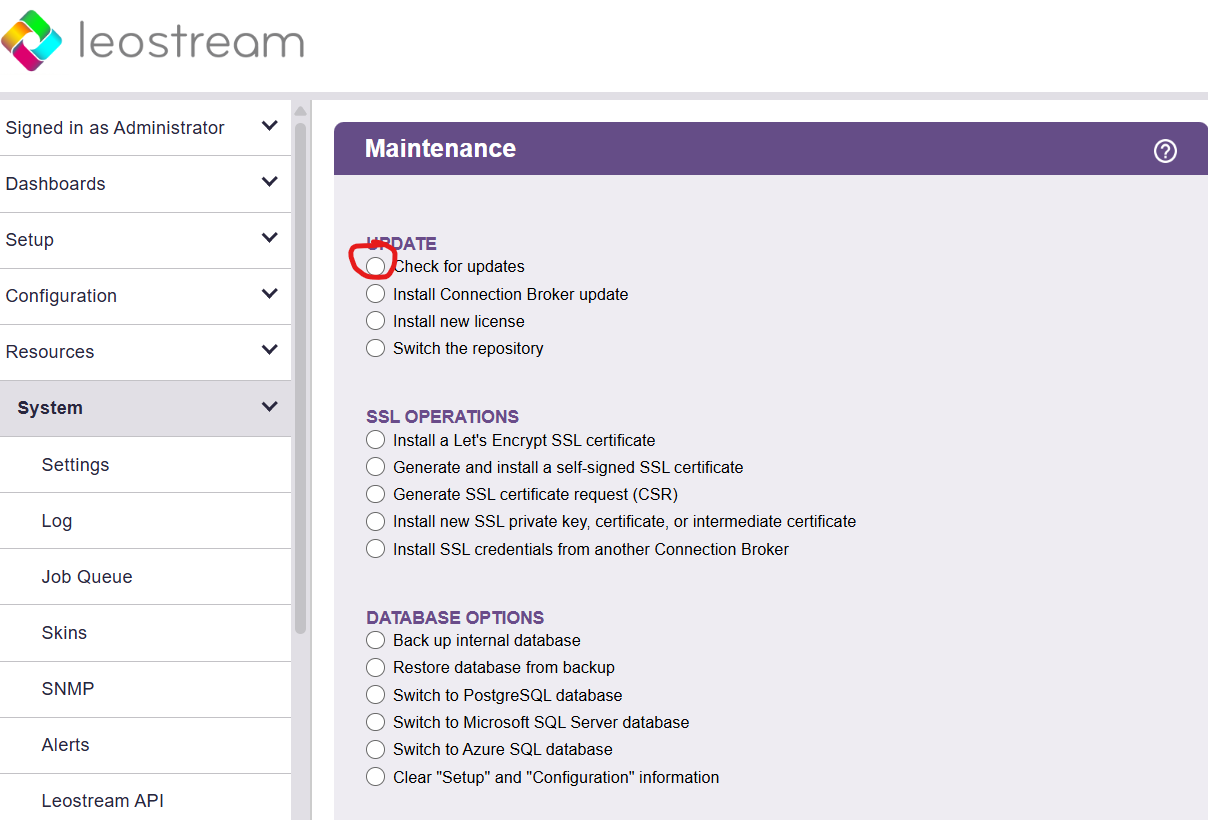
Step 2- After clicking "Check for updates" scroll to the bottom of the page and hit the "Next " button.
Step 3- If the Broker can reach out to the repository successfully, you should see a page that looks like the following:
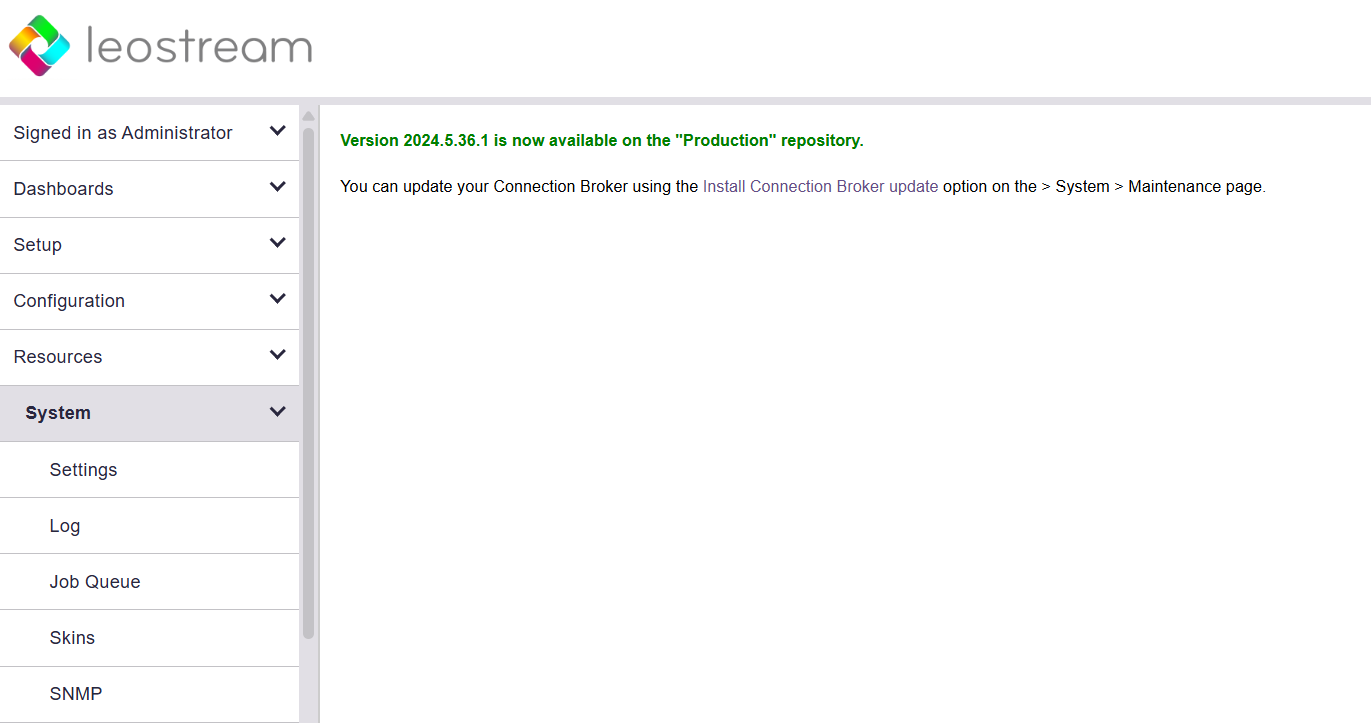
Step 4- Navigate back to System>Maintenance and select "Install Connection Broker update" and click "Next" at the bottom of the page:
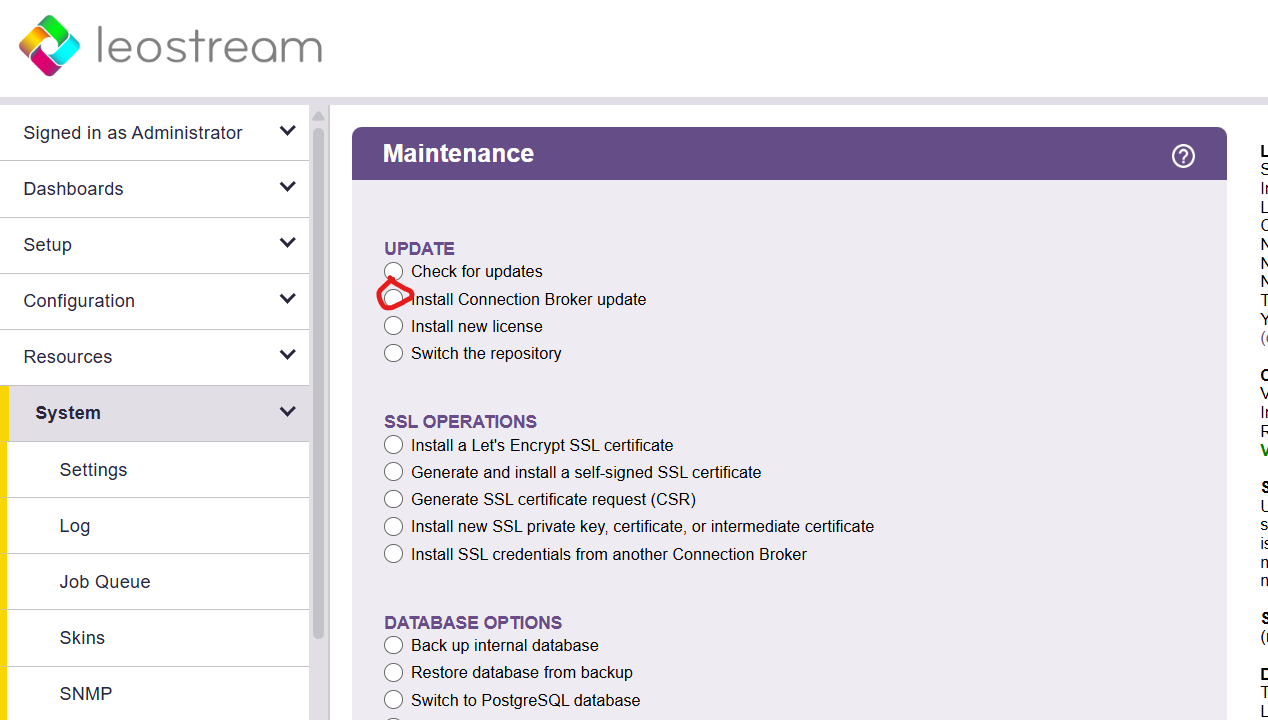
Step 5- If successful, you will be prompted with a page that looks like the following:
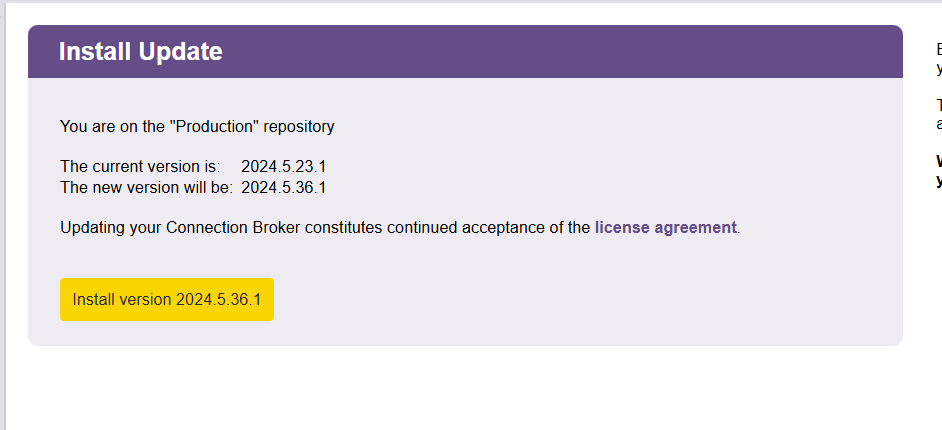
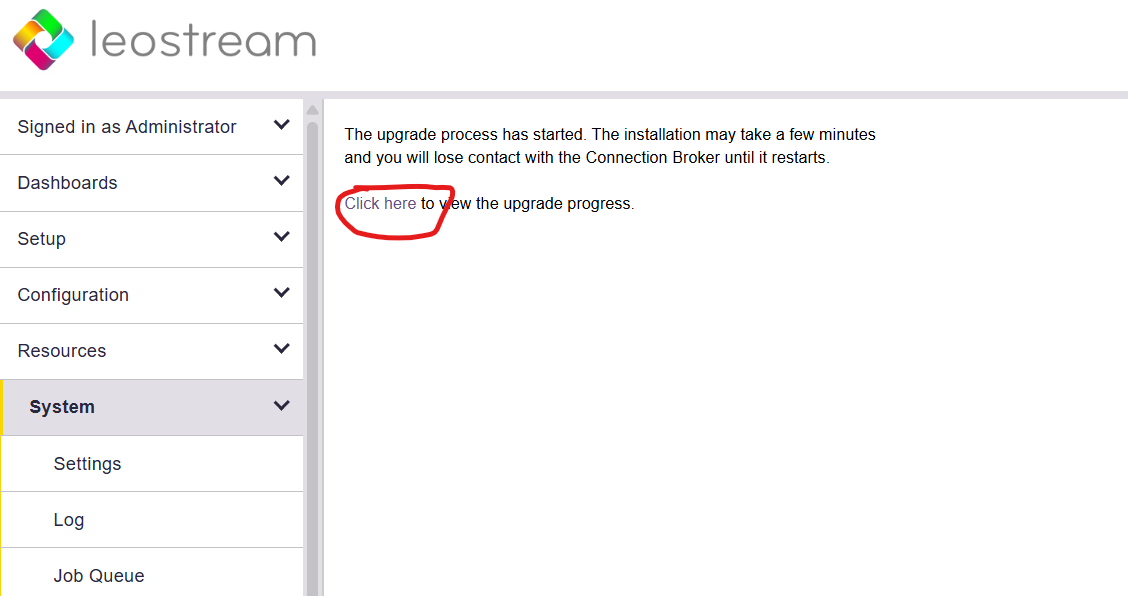
Step 6- After clicking the install button, you can view the status of the update on the following page using the "click here" hyperlink: